

If you want to change the order, add, or delete a search engine, proceed as follows.
Click the icon to the left of the search bar.
From the pop-up, select Change Search Settings. The Search dialog shows the engine that is currently set as default search engine and other available search engines.
To change the order of entries, use the mouse to drag them.
To delete an entry, select it and click Remove.
To add a search engine, click Add More Search Engines. Firefox displays a Web page with available search plug-ins. To install a search plug-in, select it and click Add to Firefox.
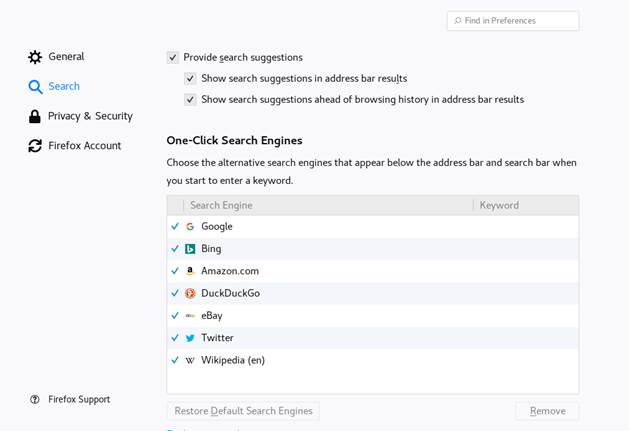
Figure 13.2: Firefox—Manage Search Engines
Some Web sites offer search engines that you can add directly to the search bar. Whenever you are visiting such a Web site, the icon to the left of the search bar gains a + sign. Click the icon and select Add.