

The Display Preferences let you choose to automatically resize the window when a new video is loaded, change the color balance, and configure visual effects when an audio file is played.
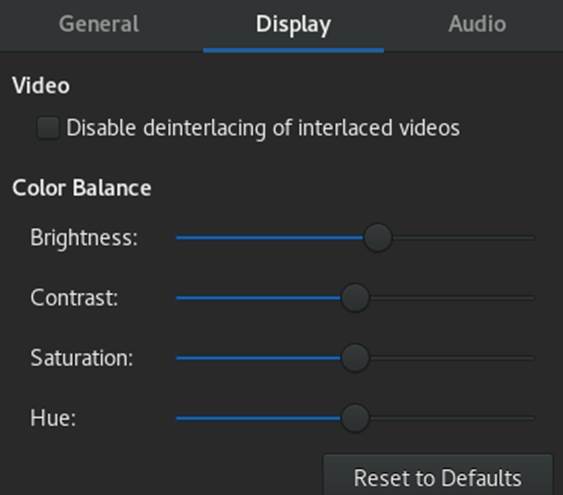
Figure 18.3: GNOME Videos Display Preferences
Display Preferences include the following:
Automatically resize the window when a new video is loaded
Select this option if you want GNOME Videos to automatically resize the window when a new video is loaded.
Disable the screen saver when playing video or audio
Select this option if you want GNOME Videos to automatically disable the desktop screen saver while an audio file is playing.
Visual Effects
You can choose to show visual effects when an audio file is playing, select the type of visualization you want to show, and the visualization size.
Color Balance
Specify the level of color brightness, contrast, saturation, and hue.