

Signing another person's key means that you are giving trust to that person. Before signing a key, carefully check the key's fingerprint to ensure that the key really belongs to that person.
Trust is an indication of how sure you are of a person's ability to correctly extend the Web of trust. When there is a key that you have not signed, the validity of the key is determined from its signatures and how much you trust the people who made those signatures.
Click Applications › Utilities › Passwords and Keys.
Select the key you want to sign from the My Personal Keys or Other Keys tabs.
Click File › Sign.
Select how carefully the key has been checked, then indicate if the signature should be local to your keyring, and if your signature can be revoked:
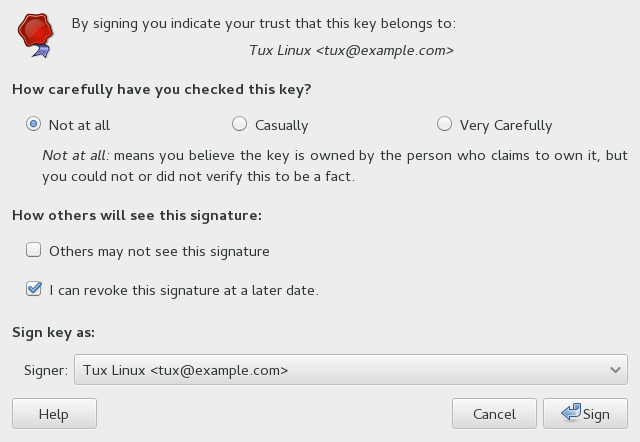
Click Sign.