

On the GNOME desktop, to start Help directly from an application, either click the Help button or press F1. Both options take you directly to the application's documentation in the help center. However, you can also start Help by opening a terminal end entering yelp or from the main menu by clicking Applications › Favorites › Help.
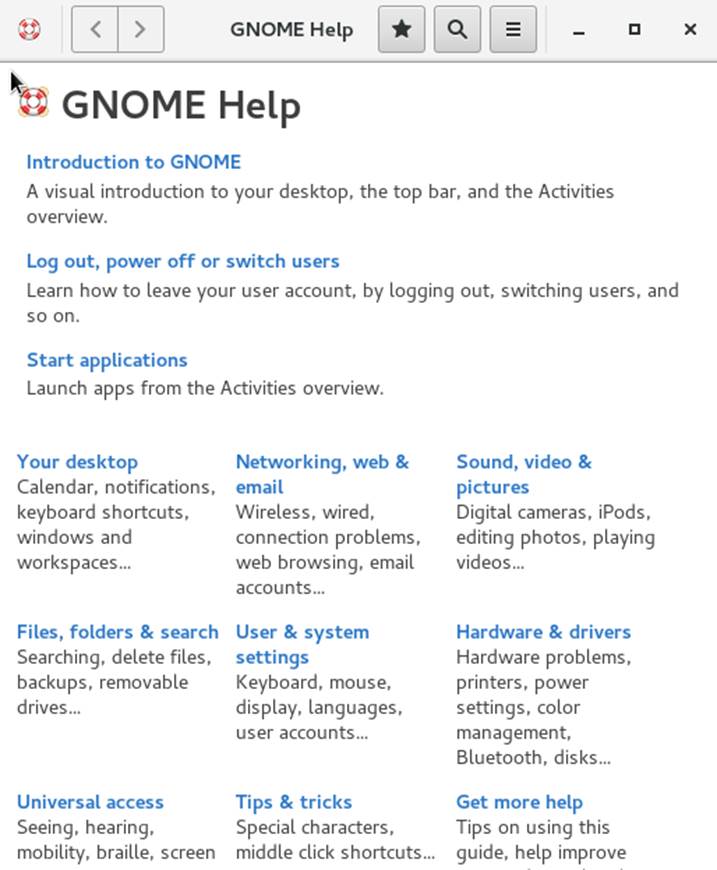
Figure A.1: Main Window of Help
To see an overview of available application manuals, click the menu icon and select All Help.
The menu and the toolbar provide options for navigating the help center, for searching and for printing contents from Help. The help topics are grouped into categories presented as links. Click one of the links to open a list of topics for that category. To search for an item, click the search icon and enter the search string into the search field at the top of the window.